Updated October 15, 2026
Preview a design on a gray pullover hoodie and judge its size against the chest and front pocket. The hoodie mockup flow combines your PNG with prepared scene choices, keeping the original artwork nearby for comparison.
Use the design you want on the finished hoodie
The upload step begins with a PNG and a preview of that file. Check that the version is correct and that the edges of the print have not already been cut off. A transparent background lets gray fabric show around the artwork. An opaque file can create a visible rectangular print. The upload notice makes that choice clear before the print is sent for generation.
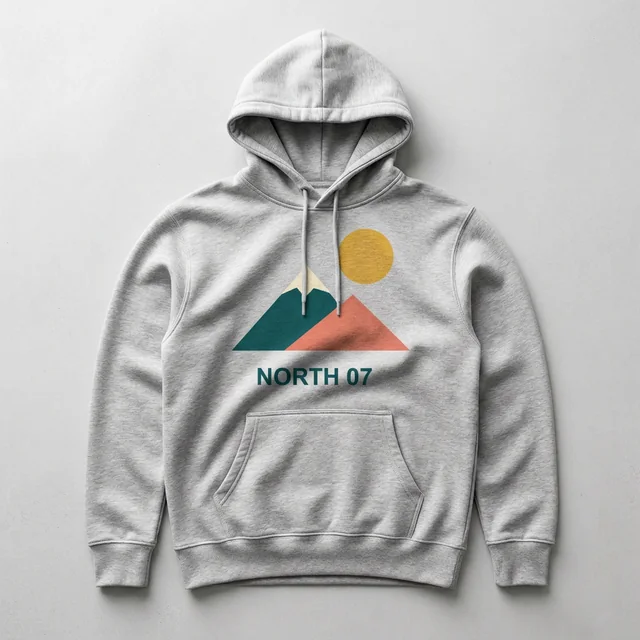
Confirm that you hold the rights needed to use the print. Original lettering, an illustration, or a landscape image can be used if you have the necessary rights. Known brand logos, protected characters, and real-person photographs are excluded. The sample design shown here is our original NORTH 07 mountain graphic. It uses lettering and colored shapes that can be compared directly with the source PNG.
Begin a hoodie mockup with the PNG you plan to print. Check the borders on the hoodie mockup preview before changing scenes.
Prepare my PNG for a previewPlace the design in relation to the pocket and drawstrings
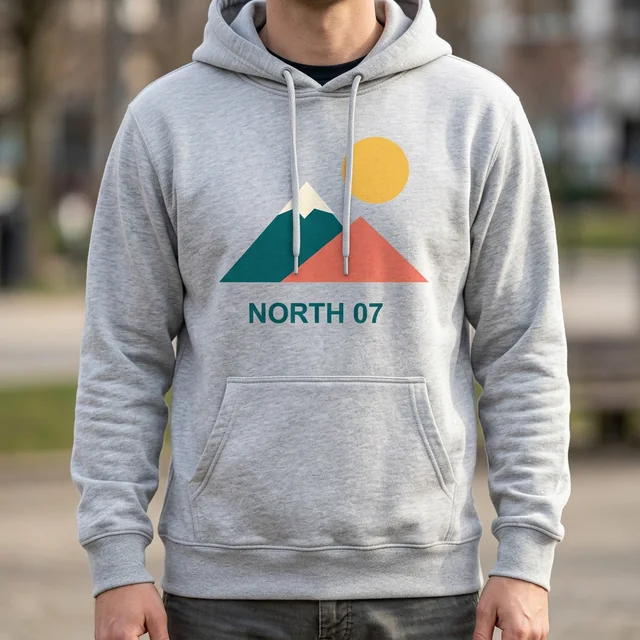
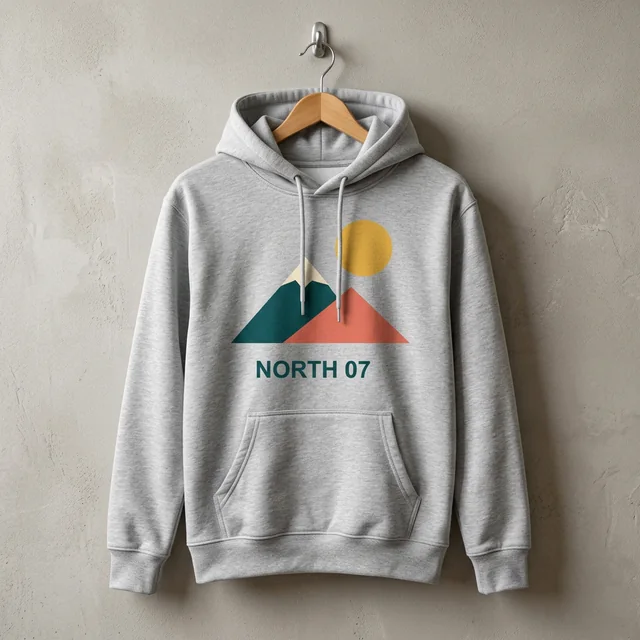
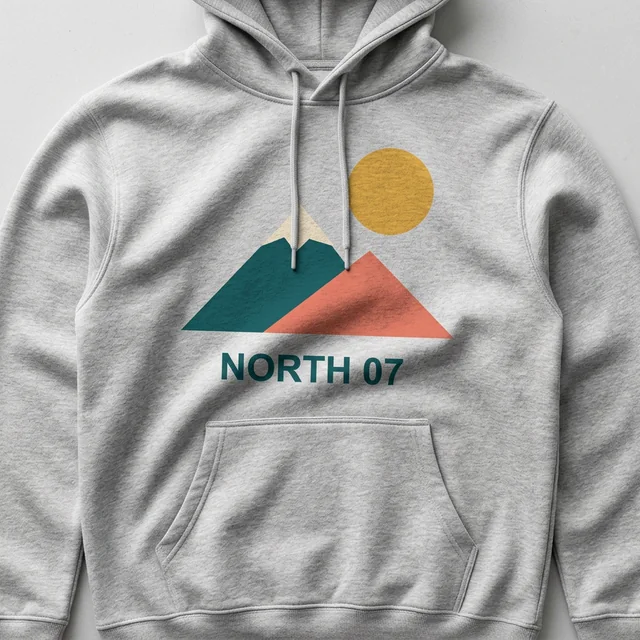
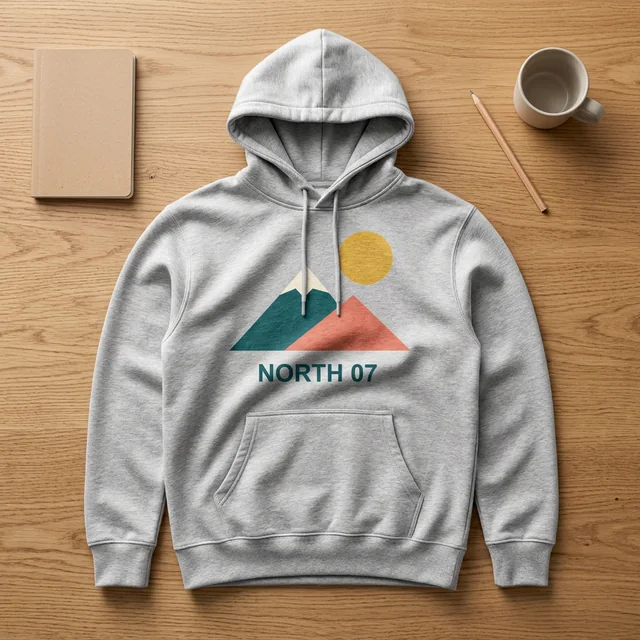
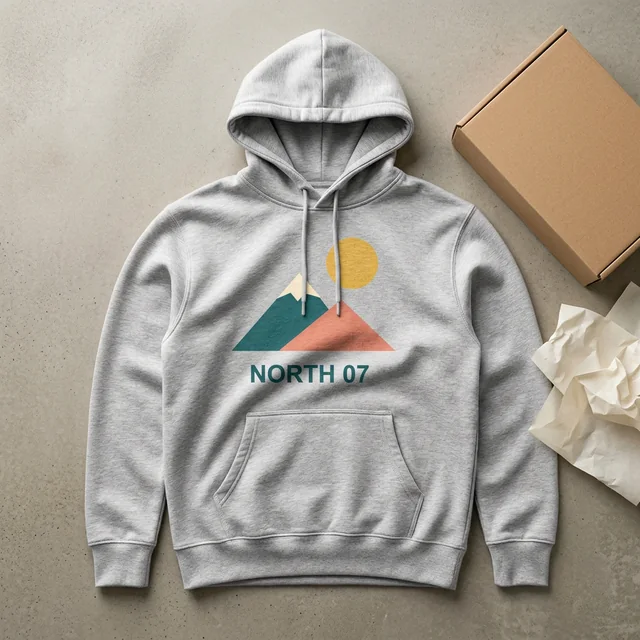
A hoodie has details that can interrupt a print. The front pocket defines the lower part of the chest area, while the drawstrings hang across the center. In the gray-hoodie examples, the strings cover small parts of the NORTH 07 mountain graphic. That obstruction comes from the garment arrangement and needs to be judged in the final picture.
The available controls include centered chest and left-chest placement, with S, M, and L size choices. The centered print sits above the pocket. Review how much room remains around its edges and whether important wording falls behind a string. The controls describe an image layout and do not establish a factory print position or a supplier's maximum print area.
Place the hoodie mockup print where the pocket and cords will leave it visible. A hoodie mockup does not confirm the printable area of a supplier product.
Choose my garment and print sizeCompare one hoodie design across prepared scenes
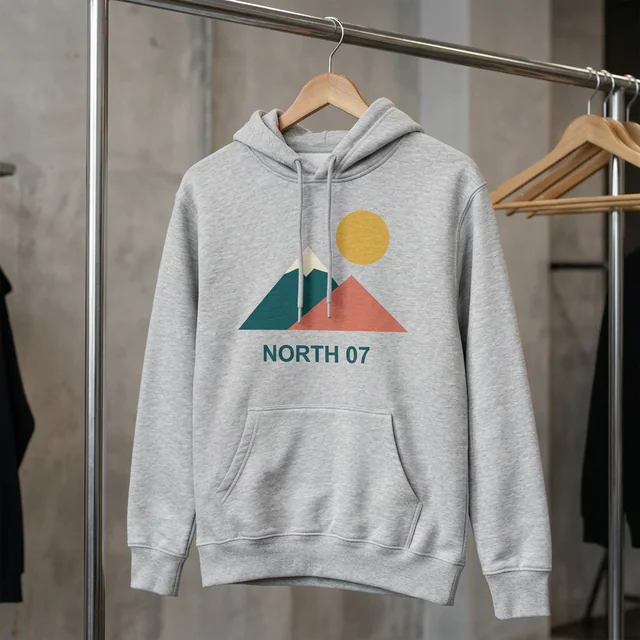
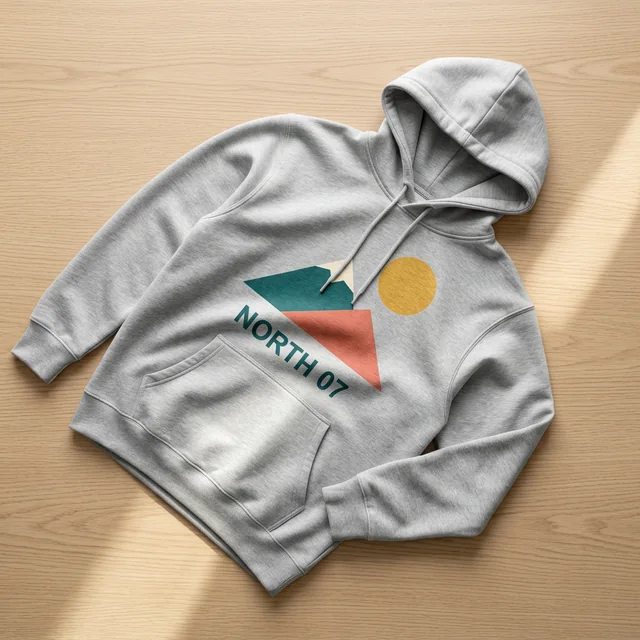
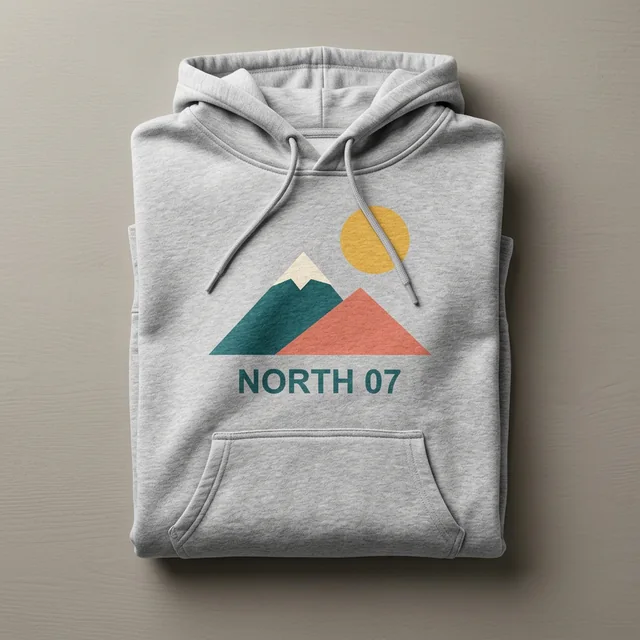
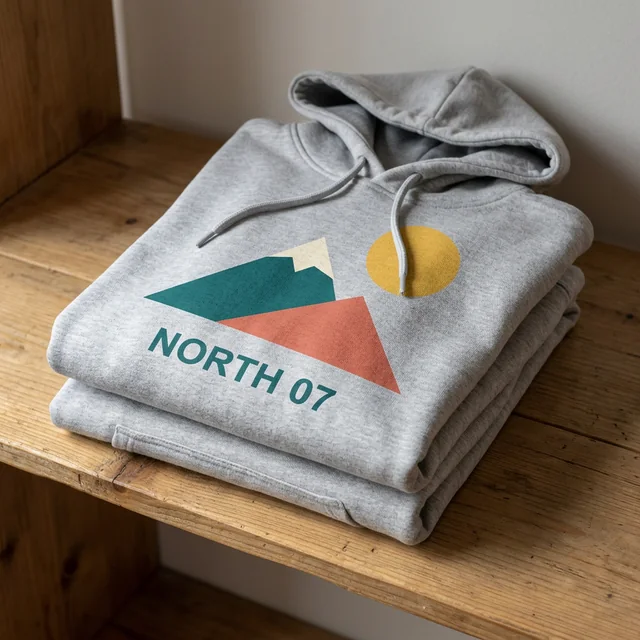
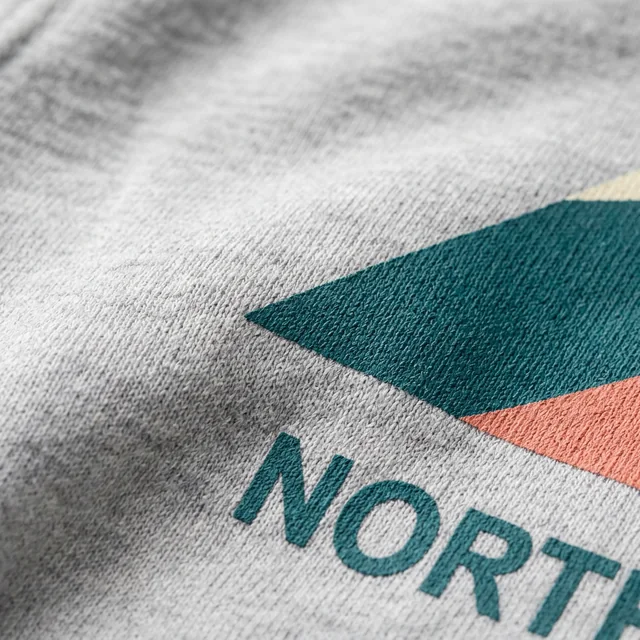
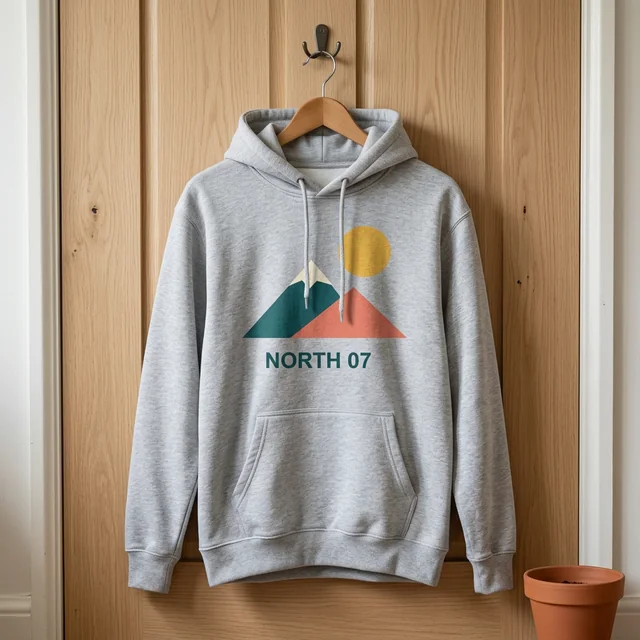
The scene pack uses the selected gray hoodie and original artwork across 12 images. A flat lay makes it easier to see the relationship between the chest print and pocket. A hanger view introduces a different fall of the fabric. A folded arrangement changes how much of the garment is visible, so the print can be visible in a folded view, while a fabric macro intentionally crops to a small ink edge. Use the complete-print close-up when every word is the subject.
The hoodie examples show our original NORTH 07 artwork in studio, hanging and soft-background views. Inspect the drawstrings and lower edge of the print in every result. A useful example can help you compare the layout, but it cannot guarantee another PNG will keep the same lettering or avoid a fold. Review all twelve images before using them in a listing.
Compare the same hoodie mockup settings in flat, hanging and folded scenes. Choose the hoodie mockup that answers a particular question about the front print.
Plan hoodie pictures for a winter or holiday release
For a winter or holiday product release, use a flat lay to show the full chest design, a hanging view to check how the fabric falls, and a close-up to inspect lettering. Keep the same garment and print settings across the pack so that each view answers a different presentation question. The prepared scenes do not add Christmas backgrounds.
Compare the generated gray hoodie with the cut, pocket and drawstrings of the item you actually sell. Keep your own product photographs alongside the mockups, and check the rules of the marketplace where you plan to list it. A generated scene does not establish the fit, warmth or print quality of a physical garment.
Inspect the print on the folds of the fabric
The sample review checks whether the print follows the fabric's highlights and shadows, while retaining the main shapes and wording of the original. Natural folds can change the visible contour of the artwork. Compare the source PNG with the result to spot a missing shape, altered caption, or unexpected crop. An attractive background alone does not establish that the print was reproduced accurately.
Gray fabric can also reduce contrast in light areas of a print. In the multicolor example, the pale shapes remain part of the original artwork and should be evaluated against the hoodie rather than recolored for the picture. Your uploaded colors are used as a reference, but a generated image cannot guarantee an exact color match to a physical garment.
Inspect the hoodie mockup where the fabric bends. A convincing hoodie mockup can still contain a changed letter or a softened edge.
Read small text before choosing a result
The default plan is 1K, with 2K suggested when small lettering matters. The current 1K hoodie text sample could not be confirmed word for word, and drawstrings obscured part of it. A successful 2K comparison exists for a white T-shirt, but the same improvement has not been established for the hoodie. Check every required word in the output you intend to use.
Review a marked preview before buying a pack
The offer includes a free, low-resolution preview image with a visible mark, followed by a one-time $5 purchase for 12 images. There is no subscription. Download the original PNGs individually, or get the ZIP when all twelve are ready. The original design sits alongside results so you can compare the print before selecting an image for a product page.
The result grid reads each image's saved status. A confirmed failed attempt returns its credit once. Redraw a missing scene to complete the original ZIP, or redraw one result without requesting the entire pack again. If an image request is still being checked, it stays pending while the same request is checked again. Processing times vary. Follow the saved status in your workspace.
Try the free marked hoodie mockup before choosing a pack. Twelve original hoodie mockup PNGs have a one-time price of $5, about $0.42 each before tax.
See the price for 12 PNGsKeep the design private and verify the real garment
Uploaded artwork stays in private storage and is excluded from analytics and routine logs. Guest files are available for seven days. Use the workspace to reopen a saved original or delete it together with its generated results. Check the displayed expiry and download any files you want to keep.
The first hoodie option is gray and shown without a wearer. Its sample silhouette does not identify a particular supplier SKU. Compare the cut, pocket shape, and fabric shade with your actual product before placing a generated image in a listing. A mockup can help assess the presentation of a print while manufacturing specifications remain a separate check.
Keep the hoodie mockup private until you have checked the artwork and actual garment. Delete the source PNG and every linked hoodie mockup together from the workspace.
Save my mockups privatelyQuestions about sweatshirt previews and downloads
Can I change the garment after a preview?
Yes. Return to the upload form, choose another garment and upload the original PNG again. Review a new hoodie mockup before choosing a full pack; a previous preview does not validate a different garment.
Does the preview guarantee an exact printed product?
No. Check every hoodie mockup against the source artwork and confirm the supplier garment separately. A hoodie mockup is a generated presentation image, and AI can alter text, color and placement.
What happens after the first preview?
Compare the hoodie mockup with the original, review the scene options and read the pack price. You can change the input or choose twelve original files. Read the pack price and refund terms before paying.
Is the free preview marked, and how large is it?
Each workspace gets one free hoodie mockup preview as a marked 512 × 512 PNG. High-resolution originals and ZIP downloads are part of a paid pack.
What does the $5 pack include?
A single $5 payment covers twelve original PNGs for one uploaded design and garment setting. Choose 1K or 2K at the same pack price. Download each finished image, or one ZIP when all twelve are ready. Any applicable tax is shown at checkout.
Is this a subscription, and can I get a refund?
There is no subscription. A completely unused paid pack can be refunded on request within 14 days of purchase, subject to the refund policy and any mandatory rights.
How should I prepare a transparent PNG?
Export your artwork as a PNG with a transparent background and keep the full design inside the image edges. Use a file under 10 MB and at most 25 million pixels. An opaque background can appear as a printed rectangle in a hoodie mockup. Confirm your rights before uploading.
Can I match a supplier blank or avoid hoodie drawstrings?
The garments in a hoodie mockup are general examples and do not identify a supplier SKU. Compare the cut, fabric and print area with your actual product. Hoodie drawstrings can cover part of a print, so check every image, especially the lettering.